Missing data is never good news
When an export carries no CVE references, many tools print an empty section that reads as a clean result. Scan Hub marks the CVE set Unknown and says why.
Scanner-agnostic · AI-written · Exploit-aware
Drop in an export from your network, host or web vulnerability scanner. Scan Hub ranks every finding by real-world danger and writes the fix plan your client will sign off on.
First three reports free, no card needed. The pre-flight check needs no account at all. See sample reports →
Clients
Open findings
412
Known exploited
9
Overdue
14
Fixed, last 30 days
63
| Client | Known exploited | Open | Last scan |
|---|---|---|---|
| Northwind Dental | 3 | 88 | 2 days ago |
| Harbor Logistics | 2 | 131 | 5 days ago |
| Elm Street Law | None | 24 | Yesterday |
How it works
CSV, XML or JSON from your network, host or web vulnerability scanner. No agents and no scanner credentials. The file is checked before you pay, and anything unreadable is named.
Every finding is checked against CISA's Known Exploited Vulnerabilities catalog, exploit likelihood and vendor fixes, then grouped into the fewest actions that close the most risk.
Hand the client a branded PDF, push the fixes to your PSA as tickets, and see what was fixed when the next scan arrives.
The report
Severity scores alone bury the dangerous items. Scan Hub puts known-exploited and ransomware-linked findings first, then the rest in order, with an executive summary in plain English and the technical detail your engineers need underneath.
Open the sample reportsEvidence first
When an export carries no CVE references, many tools print an empty section that reads as a clean result. Scan Hub marks the CVE set Unknown and says why.
When one scan gives two different CVE sets for the same check, the disagreement is evidence. Scan Hub quarantines the finding instead of picking a value.
The AI writes only from facts the rules engine extracted. Every number in the report comes from the scan or a named intelligence source.
Same scan, same plugin
Data-quality state: quarantined
Both variants are preserved and the conflict is recorded. Varaxon Scan Hub does not pick a winner, and the prioritized output marks the CVE set for this finding as Unknown until a human resolves it.
Supported scanners
Support is defined by the export, not the scanner edition. For anything not listed, the free pre-flight check tells you whether Scan Hub can read it, and the AI maps the columns when the report is written. If it can't, the credit is refunded.
.nessus XML or CSV export
Tenable Nessus report guideXML or CSV scan report
Nexpose / InsightVM XML export
Greenbone XML report
Greenbone / OpenVAS report guideJSON or JSONL output
Connected directly; needs Defender for Business (in Microsoft 365 Business Premium), Defender for Endpoint Plan 2, Defender Vulnerability Management or Defender for Servers
Connected directly with your ConnectSecure API key
CSV, XML or JSON exports that list findings by host, IP or URL
Who it's for
A report per client per month without the copy-paste, with fixes pushed straight into your PSA.
Exploit-aware priorities and overdue tracking across every client you watch.
Deliverables in your branding that read like you wrote them, in a fraction of the time.
Ran a scan and can't make sense of it? Get a clear list of what to fix, and how.
Sample reports
Both samples are synthetic demonstration reports generated from test exports. They contain no customer data.
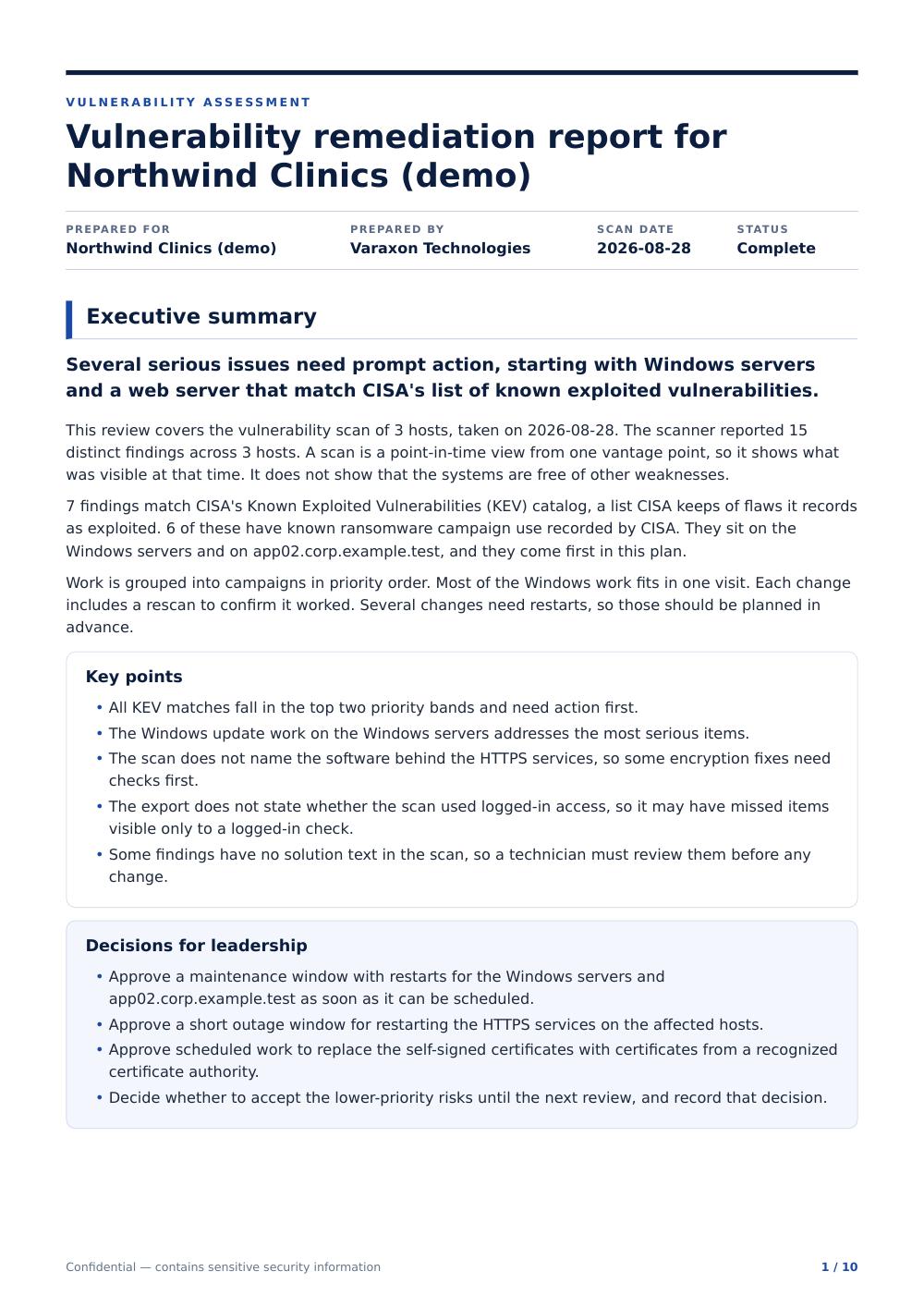
Tenable Nessus
.nessus XML export
Generated from a synthetic three-host Nessus export that carries CVE references. It opens with an executive summary and the decisions leadership needs to make, ranks the findings into priority bands using CISA KEV and EPSS data, then sets out a remediation plan and what the scan cannot show.
Synthetic demonstration report generated from a test export. Not a customer report.
Download sample PDF (Tenable Nessus)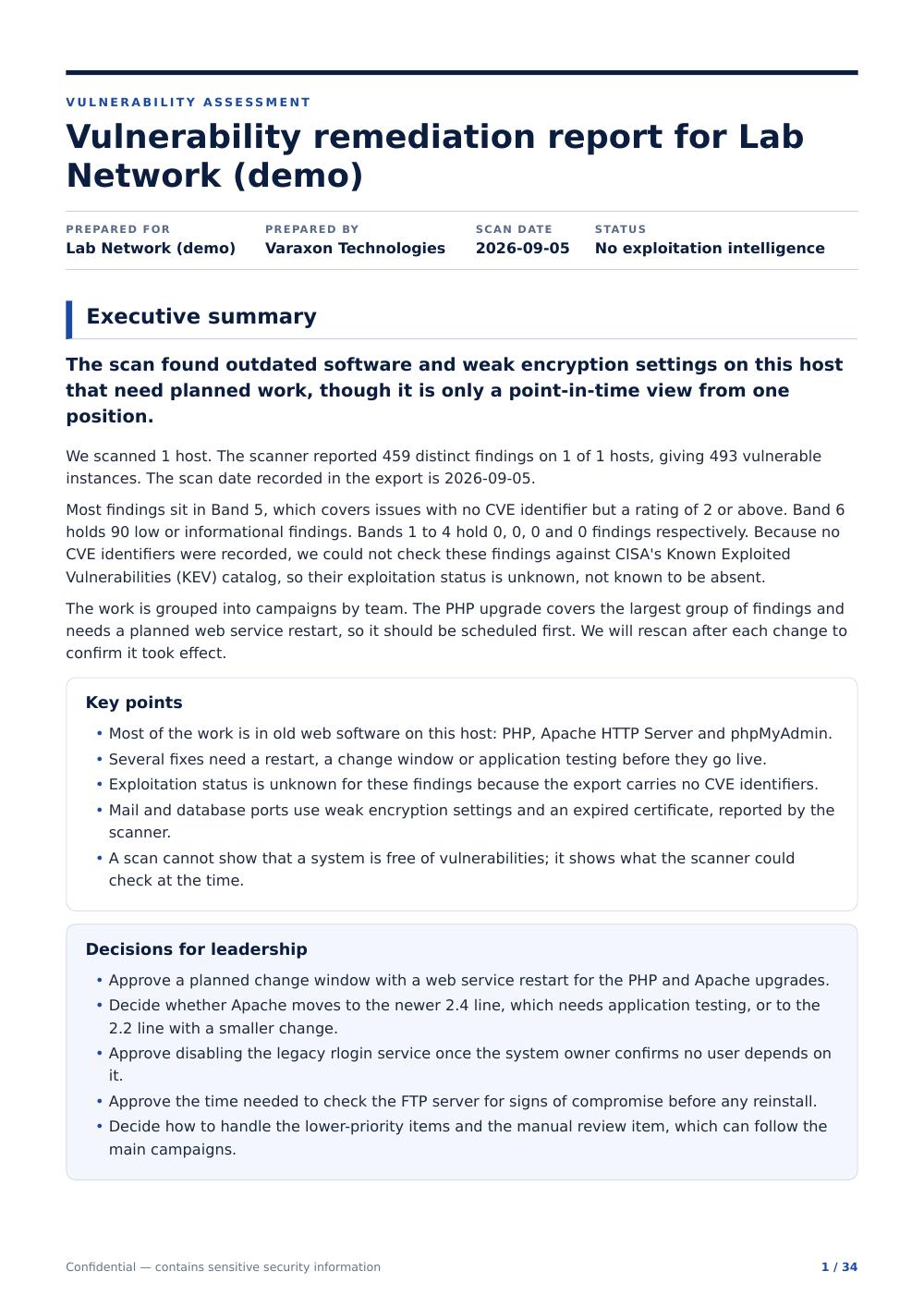
Greenbone / OpenVAS
Greenbone Community Edition XML export
Generated from a Greenbone Community Edition scan of Metasploitable 2, a deliberately vulnerable lab machine. The export carries no structured CVE references, so the report says exploitation status is unknown and ranks findings by scanner severity instead. That is not the same as a clean scan.
Demonstration report generated from a lab scan. Not a customer report.
Download sample PDF (Greenbone / OpenVAS)Pricing
Your first three reports are free, with no card and no automatic conversion.
$49 / month
or $490 / year
$99 / month
or $990 / year
$199 / month
or $1,990 / year
$299 / month
or $2,990 / year
Pay-as-you-go report: $9 per report, no subscription. Full pricing →
Security and data
Uploads are used only to produce your report. They are never sold, never shared for advertising and never used to train AI models. Google Ads and Reddit Ads measurement load only if you accept advertising cookies.
Every Scan Hub account signs in with a second factor.
Host names, addresses and emails are swapped for placeholders before anything reaches the AI.
Reports are written with Anthropic's Claude and stored with Supabase. Both are named in our privacy policy, and neither trains on your data.
Each organisation's data is isolated from every other at the database level.
Run the free pre-flight check and see what your export supports.